Promotions That Sell Themselves: Automated Notifications in Action

You’ve got a killer promotion running—but nobody knows it exists. You launched a campaign—but half your database never even saw it. You’re blasting out emails—but your open rates are struggling to hit 20%.
It’s not that your offer is bad. It’s more likely that you’ve picked the wrong moment and the wrong channel. This is exactly where automated notifications, woven into a marketing automation system, change the game. In this article, we’ll show you how it works in practice, the hard numbers behind the tech, and how to implement it step-by-step.
Let’s get started.
Why Manual Campaigns Lose to Automation
Imagine an electronics retailer planning a week-long sale. The marketing team fires off one massive email blast on Monday. By Wednesday, only 18% of those emails have been opened.
The rest? Buried in spam or smothered by a hundred other newsletters. Meanwhile, a customer who was browsing headphones just a week ago gets zero signal that the very item they wanted is finally on sale.
This isn’t an outlier; it’s the industry standard. The problem is that manual campaigns operate in a vacuum, completely detached from actual user behavior. You’re sending the same message to everyone at the exact same time—regardless of whether they’re currently browsing your site, abandoning a cart, or haven’t visited in six months.
Automated notifications work differently. They react to what a specific person is doing in real-time (or after a set delay). The message hits exactly when it’s most relevant.
- Every $1 spent on a marketing automation system generates an average of $5.44 in revenue (Cropink, Marketing Automation Statistics 2025).
- Automation can boost lead generation by 80% and improve conversion rates by 77%.
And these aren’t just “best-case scenario” figures; they are an aggregate of data from thousands of implementations.
What Are Automated Promotional Notifications (and How Do They Differ from Regular Emails)?
Automated promotional notifications are messages triggered by specific events or conditions.
For example: a customer abandons their cart, and the system sends a push notification 30 minutes later. A customer hasn’t logged in for 14 days? They get an email featuring the latest deals. The price of a product they previously viewed drops by 20%? A web push pops up on their screen.
You can leverage these notifications across several channels:
- Web Push: No email address required. The user just needs to click “Allow” in their browser.
- Event-Triggered Email: Unlike a generic newsletter, these are sent to individuals who meet a specific criteria (e.g., downloading a PDF).
- SMS & WhatsApp: The most direct route to a customer’s pocket. Since people almost always have their phones on them, open rates can soar as high as 95%. Just be careful not to overdo it—this is a very personal space.
- In-app Notifications: If you have a mobile app, this is gold. The user gets the message the second they open the app.
The common denominator? They run on autopilot based on user behavior. And iPresso Marketing Automation handles all these channels from one central hub.
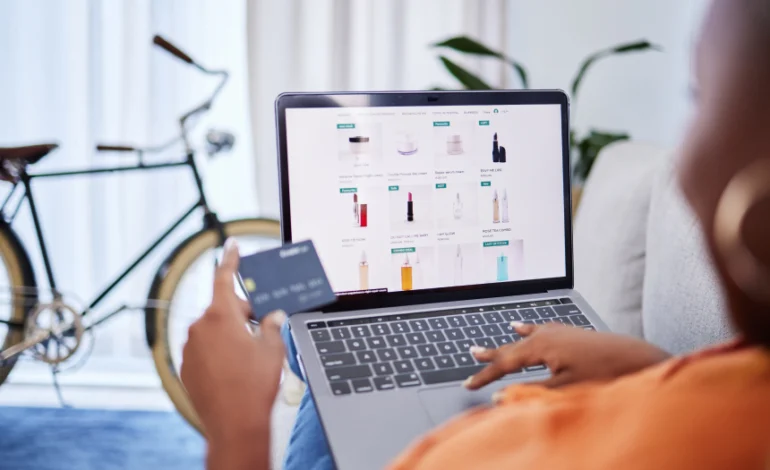
Use Case: Online Beauty Store and the “Cart Recovery” Campaign
Let’s look at a real-world e-commerce scenario.
- The Company: An online cosmetics boutique with ~15,000 monthly unique visits and a database of 8,000 subscribers.
- The Problem: Over 70% of carts are abandoned. The owner sends a weekly manual newsletter with a 22% open rate and a 3.1% click-through rate. Seasonal promos aren’t reaching people who recently viewed specific products.
- The iPresso Solution: A three-stage Marketing Automation scenario deployed across three channels.
Stage 1 – Web Push After Cart Abandonment (30 minutes later)
A user looks at a Vitamin C serum, adds it to her cart, but closes the tab. 30 minutes later, a web push appears:
“Your serum is waiting! Come back and finish your order—we’ve got free shipping for you.”
Stage 2 – Email with Social Proof (24 hours later)
If she hasn’t returned, she receives an email the next day with dynamic content showing the exact serum she left behind, plus three customer reviews and a CTA: “See what other customers are saying.”
Stage 3 – SMS with a Discount (48 hours later, one-time only)
Still no purchase? She gets a text:
“Just for you: 15% off that serum you were eyeing. Code: COMEBACK15. Valid for 24h.”
The code is unique and the system ensures she never receives the same offer twice.
The Results after 3 months: The recovery rate for abandoned carts jumped to 19% (up from 4%). Revenue from automated scenarios accounted for 23% of the store’s total sales—with zero extra effort from the marketing team after the initial setup.
Numbers You Need to Know Before Diving In
Before you pull the trigger, consider these industry benchmarks to gauge your potential ROI:
- Web push campaigns for abandoned carts achieve an average 16% CTR—several times higher than standard email (Push Push Go, 2023).
- The average conversion rate for push notifications sits at 30% (Omnisend), and it’s holding steady even as the volume of notifications sent globally increases.
How Automated Notifications Work in iPresso: The Tools
iPresso is a global marketing automation platform that has spent over a decade serving e-commerce, finance, media, and B2B sectors. Beyond the tech, it offers something many global competitors lack: intuitive onboarding and specialized support designed for marketing teams of all sizes.
Here are the specific tools you can use:
- Marketing Automation Scenarios: The heart of the system. You build communication plans in a simple Drag & Drop editor. You define the Trigger, the Conditions, and the Action.
- Web Push: Send personalized messages directly to the browser (desktop and mobile). This lowers the barrier to entry since users don’t have to give up their email.
- Dynamic Email Marketing: These aren’t just “blasts.” They are event-triggered emails with content that changes based on what the recipient actually did on your site.
- SMS and WhatsApp: Integrated directly into your scenarios. Perfect for high-urgency messages like 4-hour flash sales or “last chance” stock alerts.
- Behavioral Scoring and Segmentation: iPresso assigns points for actions: visiting a product page (2 pts), clicking an email (5 pts). When a contact hits a threshold (e.g., 30 pts), they are automatically moved to a “Hot Leads” segment.
Building Your First Automated Scenario: Step-by-Step
Implementation doesn’t have to be a headache. Here is the roadmap:
- Install the Monitoring Script: iPresso tracks user behavior via a lightweight snippet of code. This is the foundation; without it, the system can’t see what your customers are doing.
- Set Up the Web Push Opt-in: Generate an opt-in form in the iPresso panel. From that moment on, every “Allow” click builds your database automatically.
- Define the First Trigger: Start simple—abandoned carts. Choose the trigger “Added to Cart,” set the condition “No purchase after 60 minutes,” and set the action “Send Web Push.”
- Expand into Omnichannel: If the push doesn’t get a click within 24 hours, add an email. If the email doesn’t convert in 48 hours, add an SMS. You are building a waterfall that catches customers wherever they are.
5 Common Mistakes in Automated Notifications
- Too Much Frequency: Sending a push every single day is the fastest way to get blocked. Set limits: e.g., one push of a specific type every X days.
- Zero Personalization: “We’re having a sale!” is boring. “The item on your wishlist is 25% off” gets clicks.
- Single-Channel Silos: Not everyone has push notifications enabled. A good scenario cascades through channels (Push → Email → SMS).
- No Expiration Date: Sending a “Come back to your cart” message a week later is useless if the item is sold out. Use Time-to-Live settings to automatically retract outdated notifications.
- Ignoring the Data: CTR, conversions, and unsubscribe rates are signals. Don’t just “set it and forget it.” Test, measure, and optimize.
Who Benefits Most?
Automated notifications are a must-have for any business with regular online customer contact, particularly in:
- E-commerce: Cart recovery, back-in-stock alerts, price drops, and loyalty programs.
- EdTech: Reminders about expiring course access or new module releases.
- SaaS: Pre-churning sequences—if a user stops logging in, the system triggers a re-engagement flow before they decide to cancel.
- Travel & Hospitality: Dynamic flight/hotel pricing and booking reminders.
- Finance & Insurance: Alerts for expiring policies or new products tailored to a client’s profile.
Cost vs. ROI
For most small to medium enterprises, marketing automation pays for itself within 3 to 6 months. iPresso operates on a SaaS model—you pay a monthly subscription based on your database size and the channels you use.
When calculating ROI, don’t just look at direct sales. Consider:
- Time Savings: Automation saves marketing teams roughly 15–20 hours a week on manual tasks.
- Increased Retention: Better communication at key moments keeps customers longer.
- Lower CPA: Re-engaging an existing lead is significantly cheaper than buying a new one via paid ads.
Summary: What to Implement First
If you’re currently managing promos manually, here are your priorities for the fastest results:
- Launch an Abandoned Cart Scenario: This is the quickest ROI in e-commerce.
- Start Building Your Web Push Base: The sooner you start, the larger your “free” reach becomes.
- Enable Behavioral Scoring: Identify your “hot” contacts and hit them with a promo before they go to a competitor.
- Integrate SMS for Flash Sales: Use it for your shortest, most urgent windows.
- A/B Test Your Copy: Small tweaks in notification text can lead to huge jumps in effectiveness without spending an extra dime.
Automation doesn’t replace your marketing strategy—it gives it legs. The right message, in the right channel, at the right moment. That’s what iPresso does for you, no coding degree required.
FAQ
Are automated push notifications GDPR compliant?
Yes. Web push relies on an active “Opt-in.” iPresso is fully GDPR compliant and manages all user consents within the platform.
How long does setup take?
A basic cart recovery scenario can be live in one business day. Complex omnichannel flows usually take a week to a month, depending on your integrations.
Does iPresso integrate with e-commerce platforms?
Yes, it integrates with popular e-commerce platforms and offers a robust API for custom systems. You can find the details in the technical documentation on the iPresso website.
How do I avoid annoying my users?
Within iPresso scenarios, you can define “frequency capping”—for example, limiting a user to one push per week regardless of how many triggers they hit.
Does this work for B2B?
Absolutely. In B2B, push notifications are often used for follow-ups after a whitepaper download, a demo request, or a visit to the pricing page. Scoring is especially vital here to signal to sales that a lead is “sales-ready.”